Error Detection
Another feature of a good code editing environment is the ability for the IDE to detect errors as they are introduced.
In the previous slide, PyCharm actually did highlight the error in two different ways:
- Syntax highlighting: the variable declaration was the wrong color
- In the call site of
print, where the variable that wasn't declared was used.
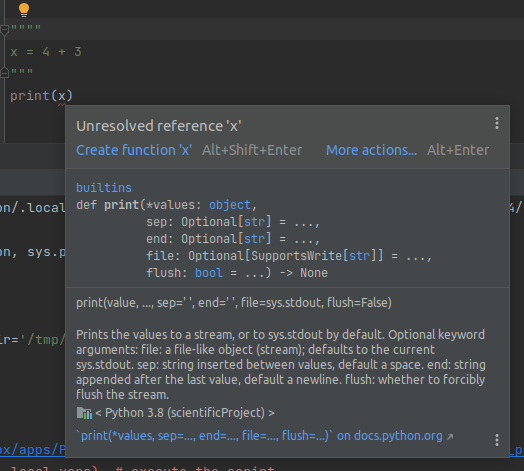
PyCharm told us exactly what went wrong, before we ran the code!
Static Analysis is a property of a development tool to read the source code and check it for errors, WITHOUT running the code.
This can be valuable, especially when the program involves expensive computations, or the exact branch is difficult to trigger.
- Not all errors can be detected this way, but a large amount can be.
Remediating errors.
Let's use a more concrete example for this.
As data scientists, we are likely to work with libraries like Pandas.
Sometimes we may even forget to import the library before attempting to use it!.
For example:
df = pandas.DataFrame()
If we ran this as-is, it will fail since pandas isn't in scope!
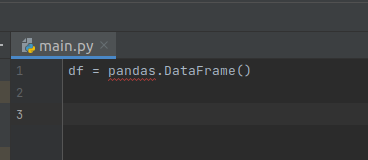
PyCharm recognizes this, as it is always statically analyzing the code.
In this case, it even offers a solution:
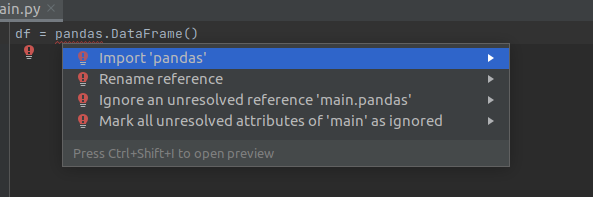
An IDE cannot fix every conceivable error it may detect. As always: use your best judgement before applying fixes.